
The patient visit
The Rules of Hand Hygiene in ViRTUE
All of the user's contacts with patient and environmental germs are recorded during the visit. If the user fails to disinfect their hands before or after patient contact, or after contact with environmental germs, this is registered as an error.
Four moments of hand hygiene
ViRTUE uses its own model with four moments of hand hygiene. It is based on the WHO’s five moments for hand hygiene and is adapted to the patient visit in ViRTUE.
- Before entering the patient zone: The user disinfects their hands immediately before entering the patient zone. This protects the patient from germs that may be on the user’s hands.
- Before a clean or aseptic task: The user disinfects their hands immediately before performing a clean or aseptic task. This prevents germs from entering the patient’s body.
- After contact with potentially infectious material: The user disinfects their hands immediately after possible contact with bodily fluids or other potentially infectious material. This protects the user and the surroundings from contamination.
- After leaving the patient zone: The user disinfects their hands after leaving the patient zone. This applies even if they only touched the patient’s hand or an object inside the patient zone.
What ViRTUE currently checks:
Since the current feature set of ViRTUE does not include any aseptic tasks or any tasks involving bodily fluids, only the first and the fourth moment are checked during the visit (entering and leaving the patient zone).
The zone model
ViRTUE assesses hand hygiene using a zone model. What matters is not which germs are visibly present on a surface, but which zone an object belongs to and whether the user disinfects their hands when moving between zones.
The four zones
Every object in the visit is assigned to exactly one zone. The colour of the zone corresponds to the colour used in the germ view and in the operator interface.
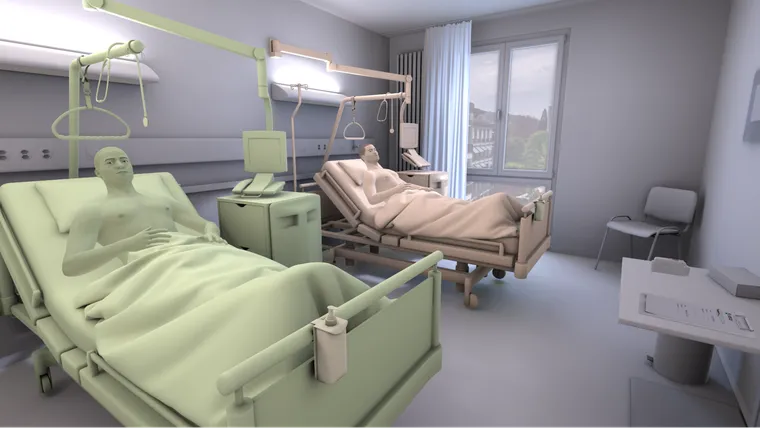
State of the hands
The state of the hands indicates which zone the user is currently in from a hand-hygiene perspective. If a hand is white, it is considered disinfected and belongs to no zone.
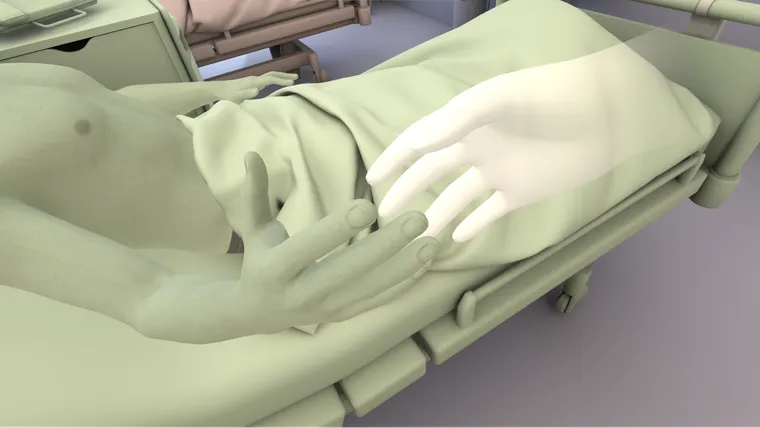
If the user touches an object with a disinfected hand, this is correct. The hand then takes on the zone of the object touched. For example, if the user touches an object belonging to Patient 1, the hand changes from white to green.
If the hand is already coloured, ViRTUE checks at the next contact whether the zone of the hand matches the zone of the object touched. If the zones match, the action is correct. The user is still moving within the same zone and does not need to disinfect their hands again.
Indication errors
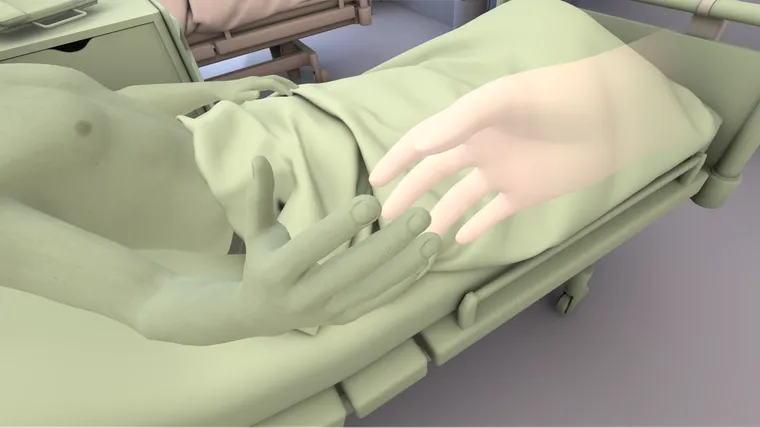
If the zones do not match, this counts as an indication error. In this case, the user has switched between two zones without disinfecting their hands beforehand. The hand still takes on the new zone afterwards. From that point on, the user can interact with other objects in that zone without triggering an additional indication error.
Example:
The user’s hand is green because they previously touched Patient 1. If they then touch an object belonging to Patient 2 without disinfecting their hands, an indication error is registered. The hand then changes from green to red. Further contacts with Patient 2 or with objects belonging to Patient 2 are correct afterwards, as long as the user does not switch zones again.
Zone model vs. germ view
ViRTUE distinguishes between the zones of hand hygiene and the germs displayed visibly on surfaces. The user can come into contact with different zones. At the same time, germs can spread across objects and surfaces independently of this.
The assessment is based exclusively on the rules of the zone model. The displayed germs have no direct influence on the assessment.
The reason for this is that germs are not visible in real everyday work. It would therefore not be fair to penalise the user if, for example, environmental germs are present on an object in the patient zone and the user happens to pick them up. Such germs may have arisen from a previous mistake by the user or from the operator’s preconfiguration.
The germ view therefore serves purely for visualisation. It helps to make germ transmission visible and to discuss it together after the visit.
Disinfecting the hands
How the user disinfects their hands in VR is described in the section Hand disinfection (From the user's perspective).