
Installation
Pico 4
The Pico Connect app enables a wireless or wired connection between a Pico 4 headset and SteamVR on your PC.
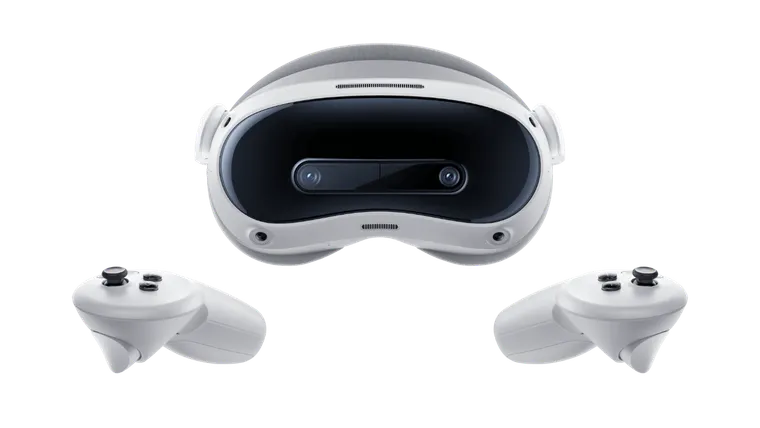
Pico Connect (PC)
On your PC
-
Download the Pico Connect app to your PC: picoxr.com/de/software/pico-link.
- Run the downloaded setup wizard to install the Pico Connect app on your PC.
-
Create a Pico account if you don’t already have one: sso-global.picoxr.com.
- Launch the Pico Connect app.
- Log in with your Pico account.
-
Change the settings in the Pico Connect app so that your VR headset always connects to your PC automatically:
- Click Settings in the navigation bar.
- Select the General tab.
- Under Auto Connect, change the option from Don’t allow to Auto Connect.
- Then click Save.
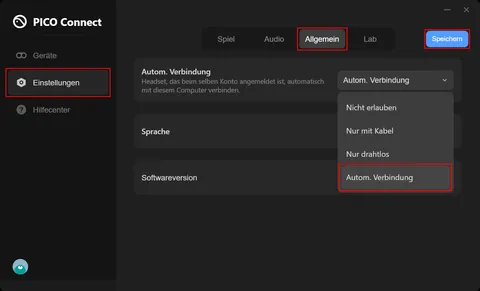
Auto Connection in Pico Connect settings
Pico Connect (VR)
The Pico Connect app comes preinstalled on your Pico 4 VR headset. You therefore do not need to install any additional app.
Pico Streaming Assistant instead of Pico Connect?
If Pico Connect is not installed on your Pico 4 headset but an app called Pico Streaming Assistant is present, you need to update your Pico 4 VR headset to Pico OS version 5.9.0 or newer.
Important
Make sure you are logged in with the same Pico account on both your PC and your VR headset.
What’s next?
Here you’ll learn how to use ViRTUE with the Pico Connect app: