
Installation
Install SteamVR
SteamVR is Valve's VR runtime environment that ViRTUE needs to drive your VR headset. It is installed for free through Steam.
Make sure Steam is already installed on your PC. If not, first follow the guide under Install Steam.
Install SteamVR
In the browser
-
Open the following link in your browser: store.steampowered.com/app/250820/SteamVR.
-
Click the green Play Game button.
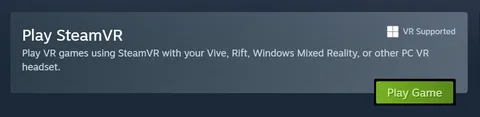
Click Play -
A pop-up window opens. Click Yes, Steam is installed.
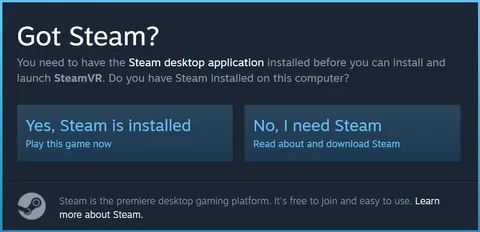
Yes, Steam is installed -
Another pop-up window opens. Click Open Steam.
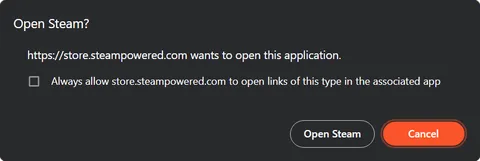
Open Steam
On your PC
-
Steam now opens automatically and an installation window appears. Click Install to start the installation process.
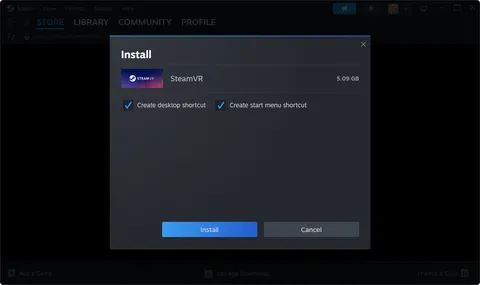
Install SteamVR -
Wait until the download and installation process is complete. You can track the progress by opening the downloads view under View / Downloads.
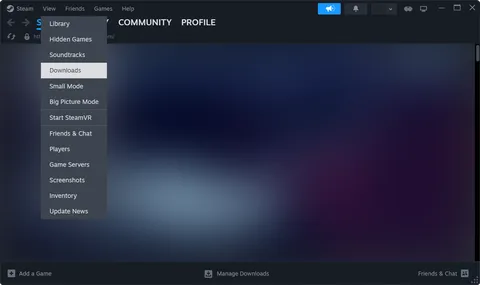
Track download progress