
Set up the play space
Meta Quest
How to set up the play space (Guardian/Boundary) on a Meta Quest VR headset.
On your VR headset
-
Put on your headset and press the Oculus/Meta button on your right Touch controller to open the main menu.

Position of the Oculus/Meta button -
On the left side of the main menu, open the quick settings.
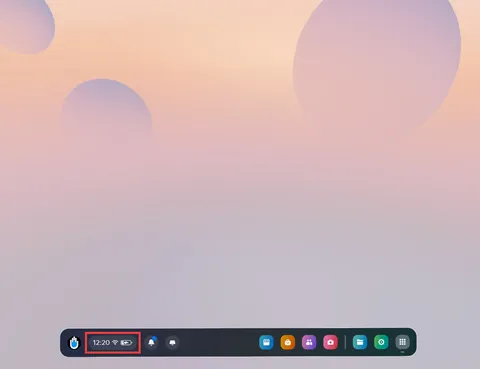
Quick settings in the main menu -
In the quick settings, select Boundary.
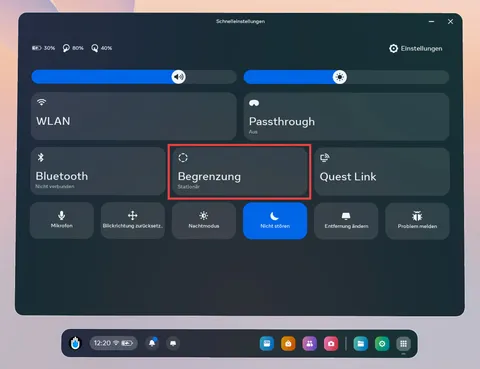
Boundary in the quick settings - Select Roomscale and follow the instructions to set up the boundary.
Set the centre point:
To reset the centre point, stand at the desired location and look in the desired direction. Press and hold the Oculus/Meta button on your right Touch controller for a few seconds.